Google Search Console Tools for SEO
Use SEOKit as a free Google Search Console tool for practical SEO analysis: find CTR drops, lost clicks, ranking opportunities, and query cannibalization faster than in the default GSC interface.
How SEOKit turns Google Search Console data into SEO actions
Start with the problem you need to solve: CTR drops, stuck rankings, competing URLs, or limited exports from the default interface.
If your CTR dropped
Find pages where clicks declined, check whether rankings changed, and rewrite snippets where the click opportunity is real.
If rankings are stuck on positions 4–10
Prioritize pages Google already considers relevant, then improve titles, content depth, or internal links.
If several URLs rank for the same query
Find competing pages and decide whether to consolidate, canonicalize, redirect, or reposition them.
If you need more than 1,000 GSC rows
Export larger page and query datasets for reporting, BI workflows, or manual SEO analysis.
Search Console tools for practical SEO work
A Google Search Console SEO tool should turn raw clicks, impressions, CTR, and position data into clear SEO actions. Use this hub to choose the right Google Search Console tool for the problem you need to solve.
Example: how a Search Console tool finds lost clicks
Instead of scanning GSC manually, the tool compares a page’s real CTR with the expected CTR for its average position and shows where a snippet update can recover traffic.
Open the URL brief, inspect the page queries, and test a more specific title angle: benefit, number, audience, or competitor contrast.
What practical GSC tools look like inside SEOKit
These previews show the working layer above raw Search Console data: priorities, actions, exports, and URL-level briefs.
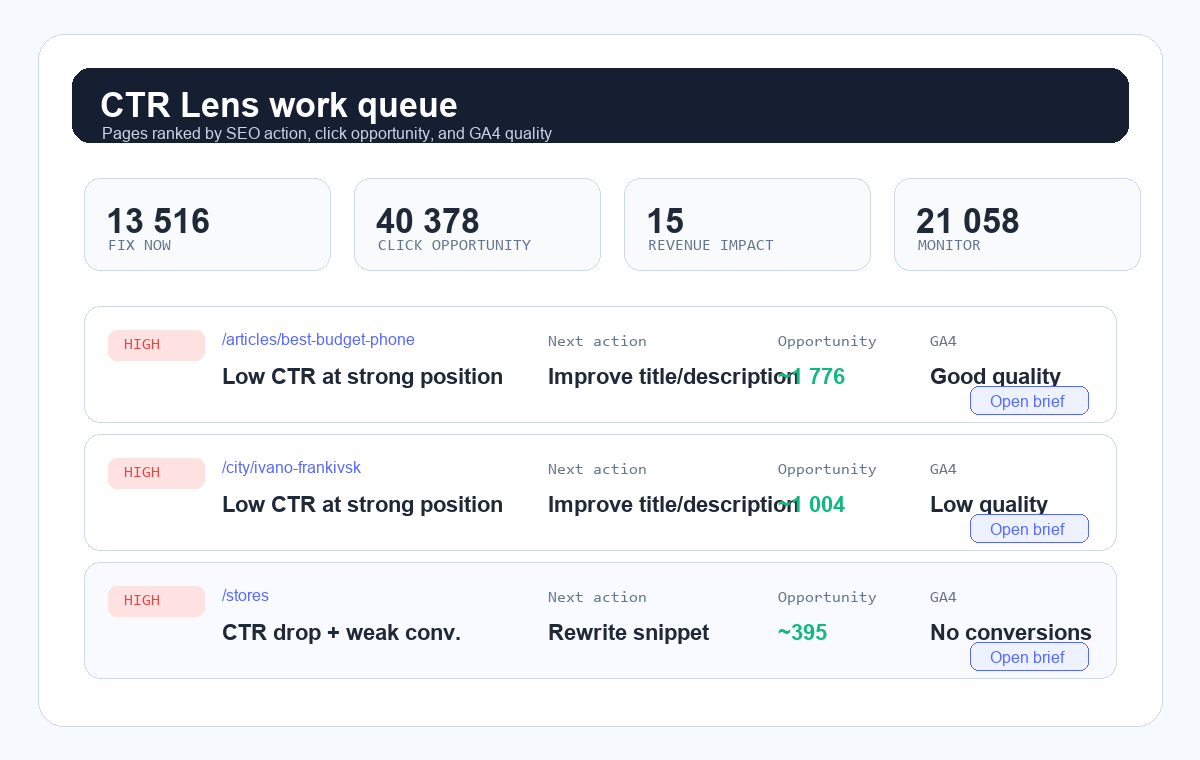
CTR Lens work queue
A prioritized queue of URLs with reason, next action, click opportunity, and GA4 quality signal.
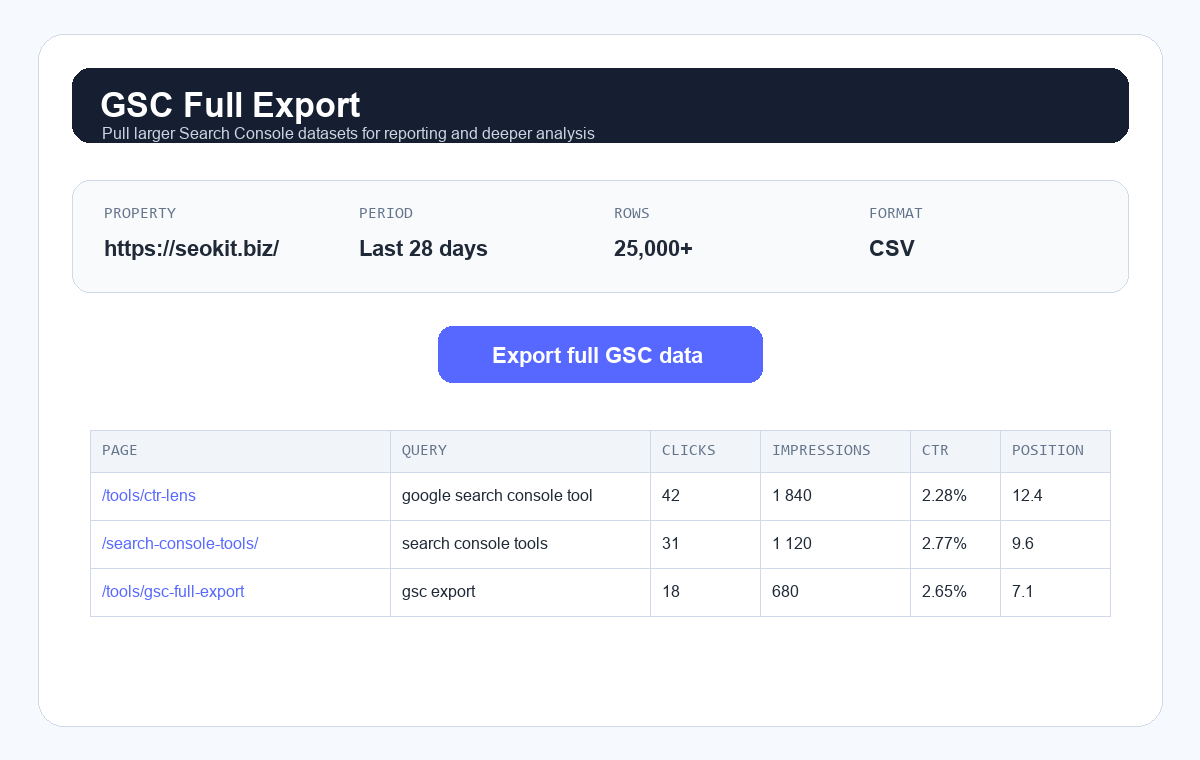
GSC Full Export
Larger Search Console exports for spreadsheets, BI tools, and agency reporting workflows.
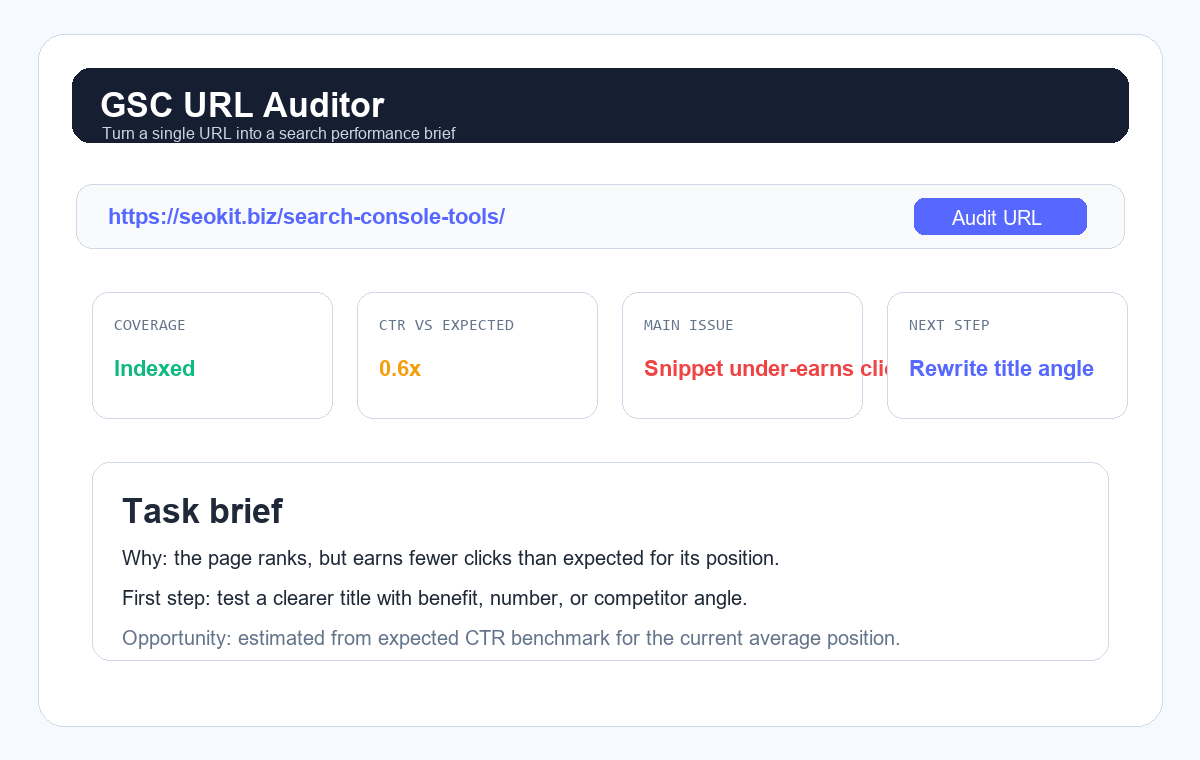
GSC URL Auditor
A page-level task brief: what is wrong, why it matters, and the first action to take.
SEOKit vs the default Google Search Console interface
Google Search Console is the source of truth, but the default interface is not built as a daily SEO workflow. SEOKit keeps the same GSC data and adds prioritization, comparisons, and action-focused diagnostics.
Who should use these Google tools for webmasters?
These tools are useful for SEO specialists, site owners, content teams, agencies, and webmasters who need to turn Google Search Console data into concrete SEO actions without building spreadsheets from scratch.
What are Google Search Console tools and why you need more than the default interface
Google Search Console is the most accurate source of organic search data available to SEO professionals — because it comes directly from Google's own index. Every click, impression, average position and CTR figure is the same data Google uses internally. No third-party estimates, no crawl gaps, no keyword sampling.
The problem is the native GSC interface was designed for site owners, not analysts. It caps exports at 1,000 rows, shows only the last 16 months, offers no side-by-side period comparison, and has no built-in cannibalization or intent detection. A site with 50,000 pages cannot be meaningfully analysed through the default UI.
Our Search Console tools connect directly to the GSC API and remove every one of these constraints. CTR Lens fetches up to 25,000 query-page pairs per request with automatic pagination, then calculates expected CTR benchmarks for each position so you instantly see which pages underperform and by how much — expressed as concrete lost clicks per month, not abstract ratios.
Ranking Opportunities surfaces pages sitting in positions 4–10 with significant impression volume. These are pages Google already considers relevant — they just need a title, internal link, or content improvement to break into the top 3, where CTR roughly triples. Finding them takes seconds instead of hours of spreadsheet work.
The Query Cannibalization Finder groups all GSC query-URL pairs by query and flags cases where two or more pages compete for the same keyword. Left unchecked, cannibalization splits link equity, confuses Google's page-selection algorithm, and keeps both pages from ranking as well as either could individually. Fixing it — through redirects, canonical tags, or content consolidation — is often one of the highest-ROI structural improvements available.
Frequently Asked Questions
What is a Google Search Console tool?
A Google Search Console tool is a third-party application that connects to the GSC API and adds capabilities the default interface lacks — period comparison, CTR benchmarks, cannibalization detection, and larger data exports. SEOKit provides a free suite of these tools that turns raw Search Console data into prioritized SEO action queues.
What is the best Google Search Console tool for SEO?
The best Google Search Console tool depends on the task. Use CTR Lens for CTR drops and missed clicks, Ranking Opportunities for pages close to stronger positions, Query Cannibalization for competing URLs, and GSC Full Export when you need larger datasets than the default interface makes convenient.
Is Google Search Console the same as Google Webmaster Tools?
Yes. Google Webmaster Tools was the old product name. Google renamed it Google Search Console, but many people still search for Google Search Console Webmaster Tools, Google Webmaster Tools, or webmaster tools Google Search Console when they mean the same platform.
How do I sign in to Google Search Console?
To sign in to Google Search Console, use the official Google Search Console login page at search.google.com/search-console/about. SEOKit uses Google OAuth so you can connect your GSC property with read-only access and analyze the data inside these tools.
How do I connect Google Search Console?
Click "Sign in with Google" in the top bar. We request read-only access to your Search Console properties via official Google OAuth — no passwords, no API keys, and no ability to modify your site or GSC settings. You can revoke access at any time from your Google account security page.
What data do you access from GSC?
Only Search Console performance data: clicks, impressions, CTR and average position by page and query. We do not access Google Analytics, Google Ads, Gmail, Drive, or any other part of your Google account. Your data is used only within your browser session and is not stored on our servers.
What is CTR and why does it matter for SEO?
CTR (Click-Through Rate) is the percentage of users who see your search result and click it. A page with 10,000 monthly impressions and 3% CTR gets 300 clicks. Improve CTR to 6% and you get 600 clicks — without any ranking improvement. For high-impression pages, a well-crafted title rewrite can be worth more traffic than months of link building.
What is query cannibalization?
Cannibalization occurs when Google alternates between two or more pages of your site when ranking for the same query. This splits the link equity and click signals that should consolidate on one strong page, keeping both pages weaker than they need to be. The clearest sign is seeing different URLs appear in position tracking for the same keyword on different dates.
How is "expected CTR" calculated?
Expected CTR is the industry benchmark click-through rate for a given average ranking position, based on large-scale aggregated click data: roughly 28–35% for position 1, 15–20% for position 2, 10–13% for position 3, declining to 2–5% for positions 6–10. The tool uses your page's actual average position to interpolate the expected rate, then compares it to your real CTR to calculate the gap.