SEOKit · Observed on
Mixed search intent on a category page. Do shoppers need a guide?
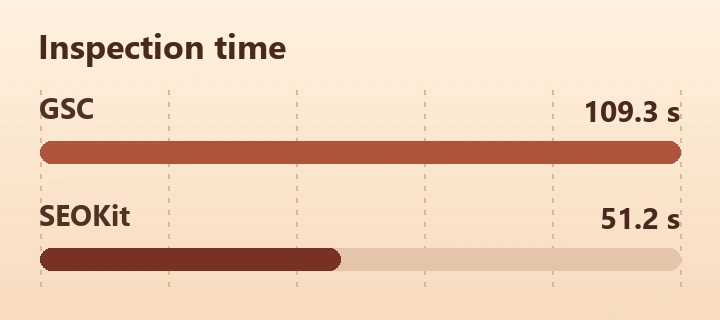
Two searches mentioned buying and two asked about price. We checked the same four queries in Search Console and SEOKit. Median lookup time including loading was 13.29 s and 8.06 s respectively.
What shoppers wanted from this category
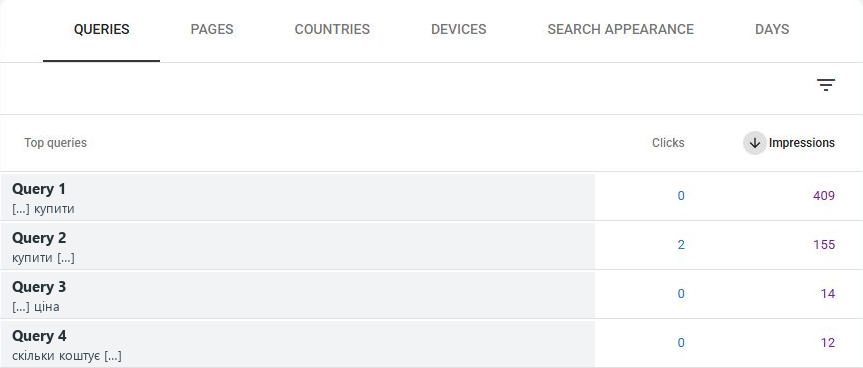
On 6 April 2026, four queries reached ten impressions for this exact category URL in Google Web Search. The first two combined a product name with “buy”, in opposite word order. They accounted for 564 impressions and both clicks. The third combined the product with “price”. The fourth asked how much it cost. Those two had 26 impressions between them.
Editorial decision: check the price and availability shown on the product tiles. SEOKit labelled the price question informational. Reading it revealed that a shopper could get the answer directly from the listing. None of these four searches explicitly asked for a buying guide.
From the GSC page filter to four SEOKit intent labels

The same number identifies each query in both reports. Brackets hide the product name. The Ukrainian words around it are from the original queries. The property and address are masked. The GIF moves between selected screenshots. The timings below come from the earlier run, before the Exact URL option was added to SEOKit.
Time to verify the same four queries
The site, date and category address were known. Each timed run ended when the four query rows for that exact address could be read and their totals verified: 590 impressions and two clicks. We timed three successful browser runs per tool after rehearsing the steps, with the accounts already signed in.
| Run | GSC (s) | SEOKit (s) |
|---|---|---|
| 1 | 13.90 | 8.06 |
| 2 | 13.15 | 11.23 |
| 3 | 13.29 | 7.53 |
| Median | 13.29 | 8.06 |
GSC timing started when we opened the site report with the date set. We applied the exact page filter and sorted Queries by impressions. SEOKit timing started at Analyze Intent with the site and date set, and included loading the site report, filtering its rows and checking the exact address. SEOKit saved 5.24 seconds by the difference between medians for this one-day lookup. This measures a repeated browser task; signing in, choosing the category and interpreting intent were outside the timer.
Repeat the check in Google Search Console
- Open Performance → Search results, choose Web, set 6 April 2026 as both dates and enable clicks and impressions.
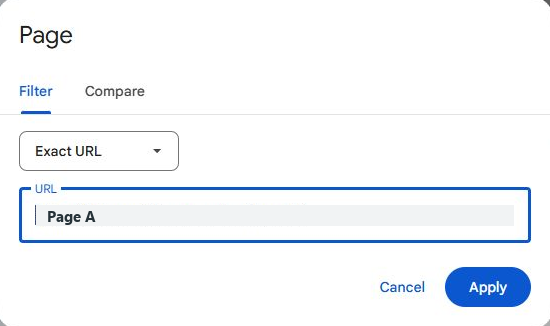
- Choose Add filter → Page → Exact URL. Paste the full category address and apply. A “contains” filter would also select brand and product filters below this category.
- On Queries, sort impressions from high to low. Read each row down to the first one below ten impressions. Of 43 visible queries, four passed. Compare their individual clicks and impressions with SEOKit.
Repeat the check in SEOKit Search Intent
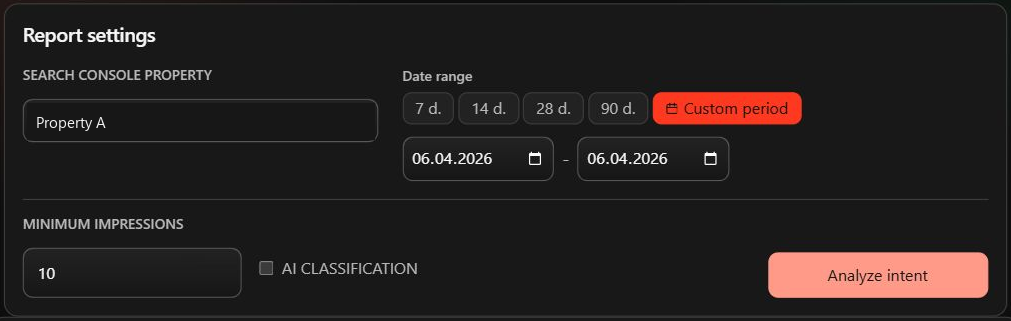
- Open Content & SERP → Search Intent. Select the same Search Console property and date. Set minimum impressions to 10, leave AI classification off and run the analysis.
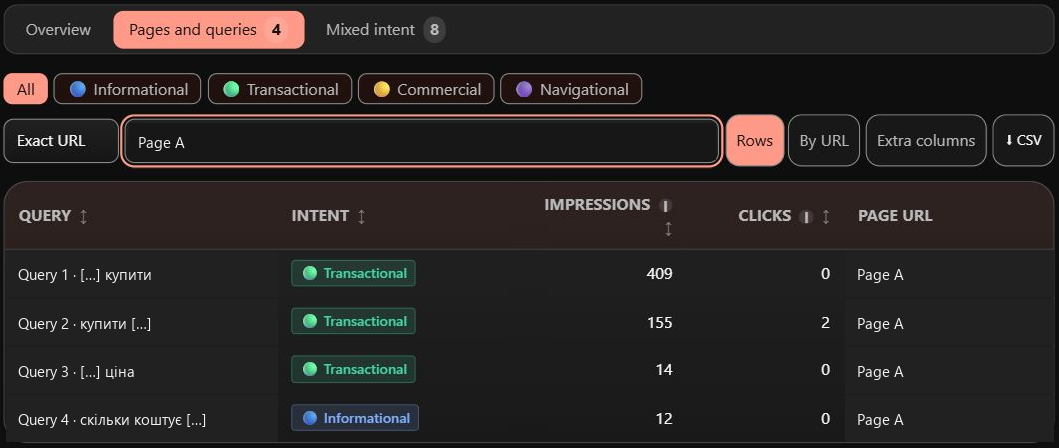
- Open Pages and queries → Rows. Choose Exact URL and paste the same category address used in GSC. The table now contains only this page’s queries.
- Match each phrase to the GSC row, then compare both numbers. Read the intent beside it. Here the query containing “price” was labelled transactional and the price question informational, even though the catalog can answer both.
How SEOKit classified the two price searches
Why the longer-period counts differ
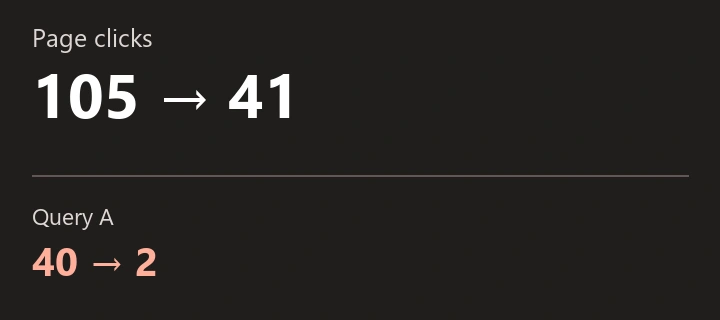
For 4 March–6 April 2026 we checked the same URL a second way. GSC showed 259 query rows before applying the ten-impression threshold. The whole-site SEOKit report timed out for this range. We verified the live data supplied to its expanded page detail separately. That detail excludes single-word queries. The ten such queries in GSC accounted for 6,867 impressions and ten clicks.
| Scope | Queries | Clicks | Impressions |
|---|---|---|---|
| GSC · all lengths | 64 | 41 | 19,295 |
| GSC · 2+ words | 54 | 31 | 12,428 |
| SEOKit · page detail | 54 | 31 | 12,428 |
54 of 54 comparable queries matched on both metrics. The older 11-query example below is a limited archive of daily rows. Its totals describe only the records preserved in that archive.
How the category was picked from the archive
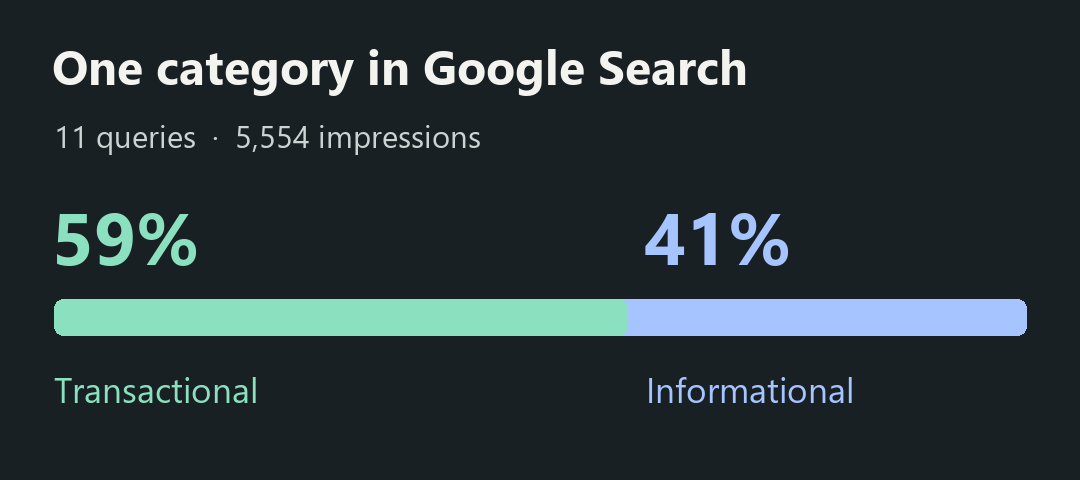
We ran SEOKit’s rule-based classifier on archived Search Console rows from 4 March to 6 April 2026. We combined daily rows for each query and URL, then kept pairs with at least 10 impressions. Below are all qualifying queries for this category, grouped by wording. The product name and URL are withheld.
| Query wording | Queries | Impressions | Clicks |
|---|---|---|---|
| Buy + product name | 5 | 3,276 | 27 |
| Product name or spelling variant | 5 | 2,267 | 11 |
| How much does it cost? | 1 | 11 | 1 |
| All qualifying queries | 11 | 5,554 | 39 |
The classifier uses informational as its fallback for phrases with no clear marker. That explains why product names accounted for 2,267 of the 2,278 impressions in that group. A product name alone leaves the shopper’s goal open. A price question, on the other hand, gives the catalog editor something specific to check.
Finding mixed-intent pages in SEOKit
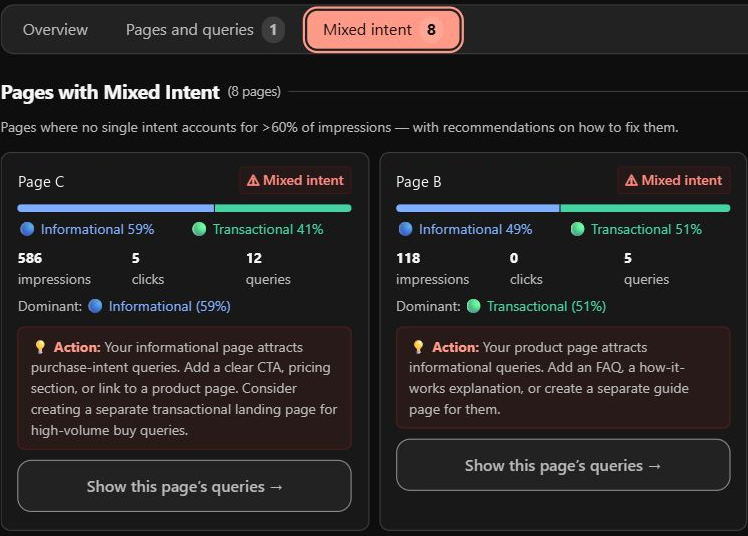
Start with just a site and a date. Follow Page B from the list to its five queries in the live report for 6 April 2026. Page B is a different landing page from the category in the archive above.
1. Run the report for the whole site
In Search Intent, choose the connected Search Console property. For this run we set both dates to 6 April, kept queries with at least 10 impressions and left AI classification off. Select Analyze intent.
2. Open Mixed intent and choose a page
SEOKit checks up to 200 pages with the most impressions. Eight qualified that day: no intent group reached 60% of a page’s impressions after rounding. Open the second card, Page B. It has 118 impressions, zero clicks and an almost even split. Select Show this page’s queries.
3. Read the queries behind the split
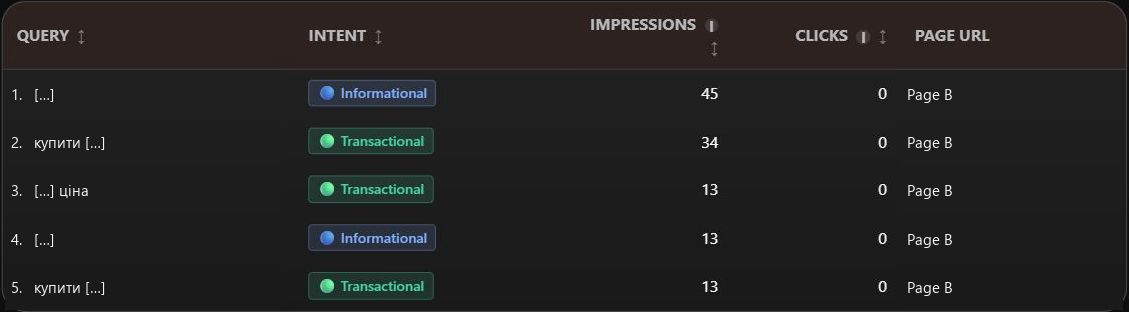
Switch to Rows. The card has already set the exact page filter. Two searches containing “купити” (buy) and one containing “ціна” (price) account for 34 + 13 + 13 = 60 impressions. The other 45 + 13 = 58 came from two spellings of the product name. Both received the informational label. Neither asks how to use the product.
What SEOKit changed about the editorial decision
Check the prices in the category before commissioning a buying guide. In the archived category, 41% of impressions carried the informational label. Of those 2,278 impressions, 2,267 came from product names alone. The remaining 11 came from a price question. That gives the editor a concrete check: open the category on mobile and see whether a shopper can find the price of an in-stock model before opening its product page. If the price is hidden, add it to the listing. If it is easy to find, these queries give us no reason to rewrite the category.
What the tool saves. In GSC you can verify the same clicks and impressions. To find mixed pages manually, you also have to select URLs, classify their queries and add up impressions by group. SEOKit produced eight candidates for 6 April and let us trace one card’s 51/49 split to five rows. That is where you can test the suggested action against the actual searches.
In the separate timed check of four queries for a known URL, the median of three browser runs was 13.29 s in GSC and 8.06 s in SEOKit. That is about five seconds saved on verification. Discovery time and traffic after edits were outside the measurement.
Find mixed-intent pages on my site →