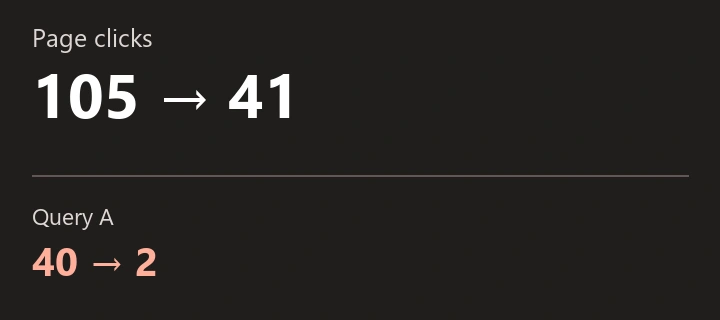
SEOKit · Observed on
Technical SEO audit of 98 URLs in Search Console
Four pages were already indexed and 23 had a noindex directive. We show how we narrowed the original list and why only one of three URLs in a later SEOKit batch needed further technical diagnosis.
How to read a batch URL inspection in SEOKit

The guide shows the input control and excerpts from the three saved results. The last step includes a separate HTML check.
Google’s page indexing report flagged 98 URLs. Which needed investigation?
On 18 October 2026, all 98 addresses came from the same “Crawled – currently not indexed” list. We inspected each URL in Search Console and fetched the current page, following redirects. The two checks answered different questions: what Google last recorded and what the site served on the audit date.
| URLs | What we found | Decision |
|---|---|---|
| 4 | Already indexed in URL Inspection. | Close the indexing task. |
| 23 | The current destination page had noindex. | Check whether this page belongs in search before changing its directive. |
| 71 | Google reported crawled, currently not indexed. The current page had no noindex directive. | Keep in the diagnostic queue. Review canonical, internal links and content for each page. |
Why check the HTML? Of the 23 URLs with a current noindex, only one had an explicit noindex verdict in Google’s saved data. The other 22 were still labelled crawled, currently not indexed. The HTML tells us what to check today. It cannot tell us when Google saw the directive.
The same discovered URL in GSC and SEOKit
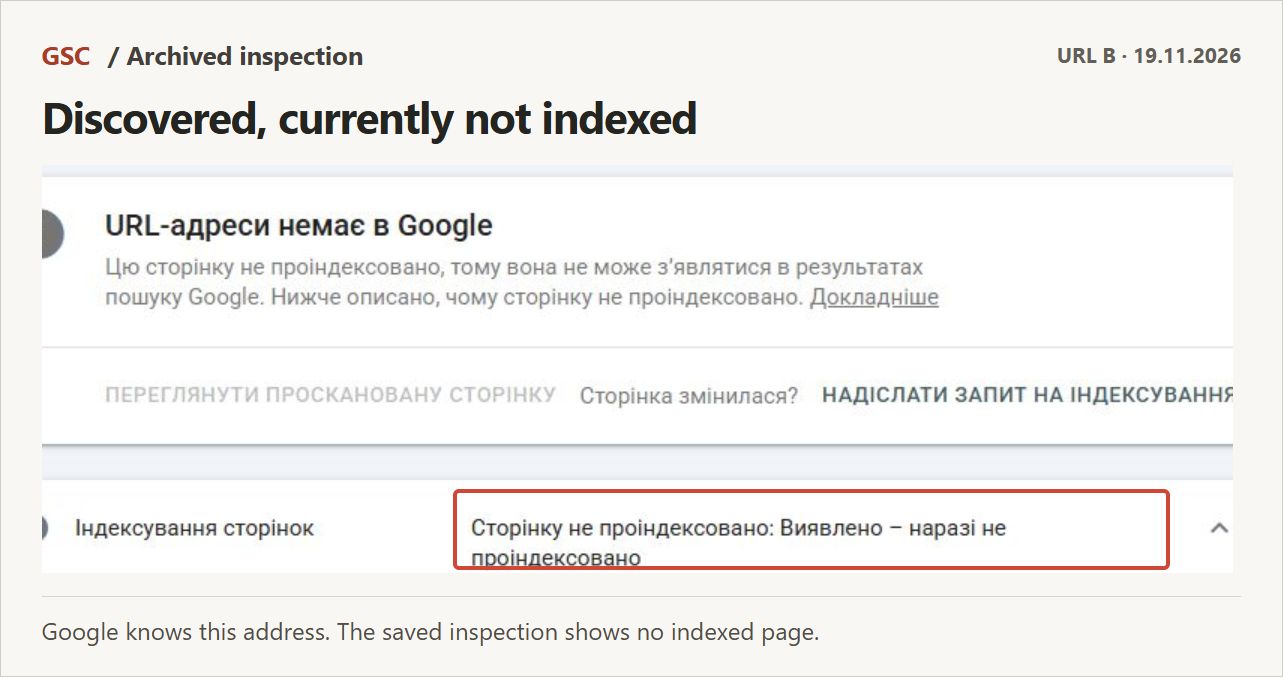
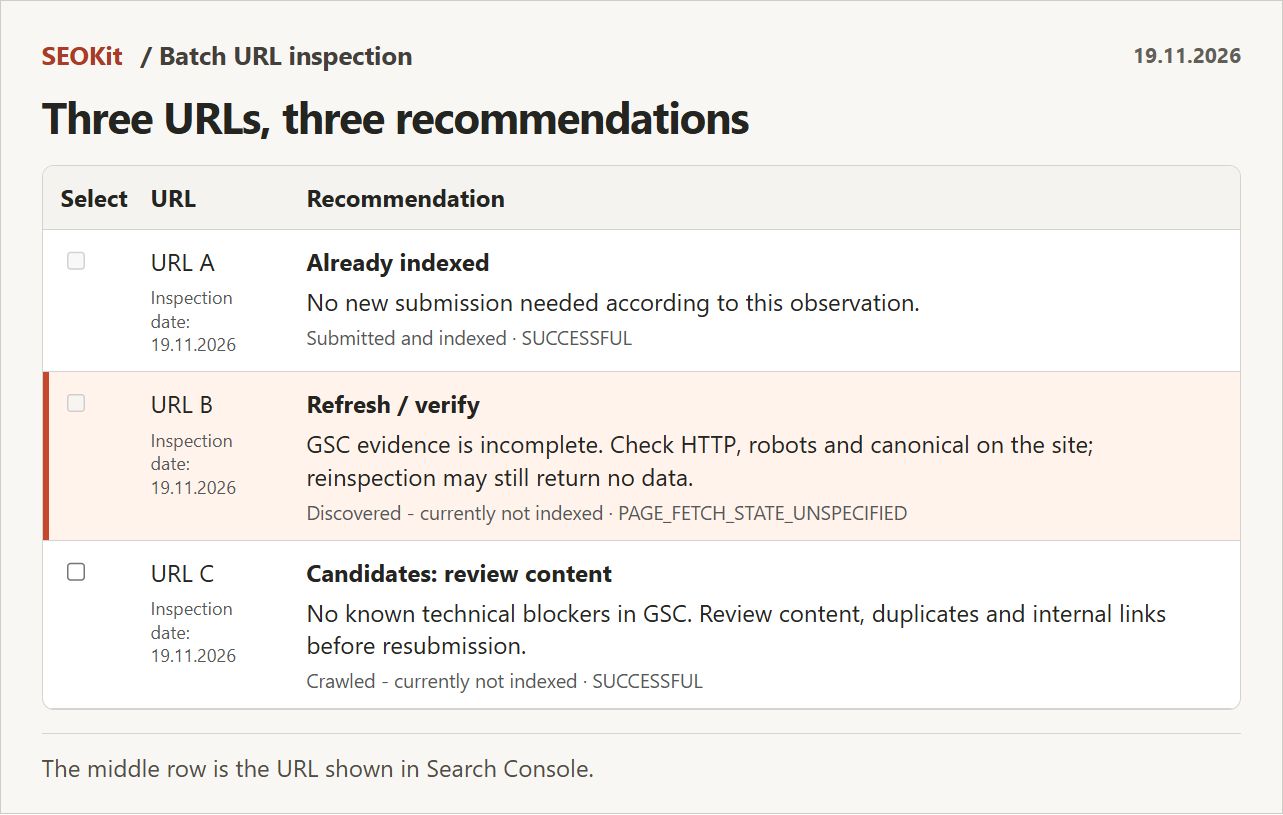
The 19 November recheck covered three addresses, labelled A, B and C. Follow B from the original Google inspection to the highlighted row in the SEOKit batch. C is the exercise checked separately below.
Three URLs rechecked on 19 November: what did we do with each?
We pasted three addresses from the original audit into URL Inspection in GSC Workspace. All three returned a saved Google status in one run. The other 95 URLs were outside this recheck.
- Indexed. Google confirmed the first page was indexed. We removed it from the list of indexing fixes.
- Discovered, currently not indexed. The second URL is the one in the GSC screenshot. SEOKit put it in the follow-up queue. Check the HTTP response, robots rules and canonical. The saved result leaves the cause open.
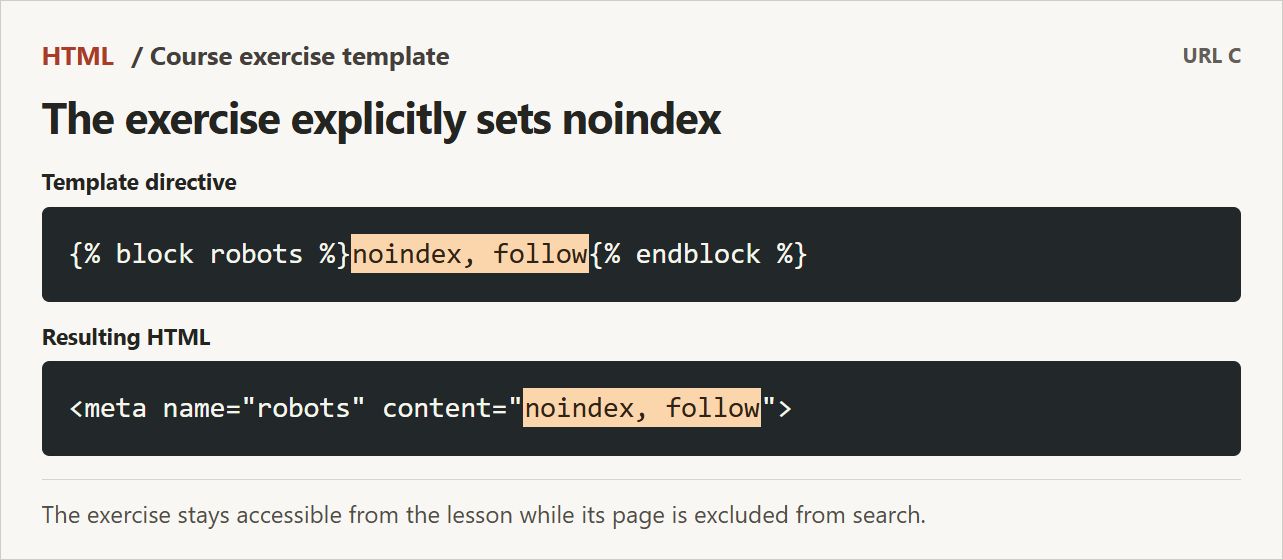
- Crawled, currently not indexed. For the third URL, SEOKit suggested reviewing content. Before assigning a rewrite, we opened the exercise page and checked its robots meta tag and the lesson template.
Why the exercise stayed out of search
The exercise template intentionally sets noindex, follow. The page is for learners working through the lesson. We kept the directive and closed the content review without a rewrite or an indexing request.
What SEOKit adds to Google Search Console
In GSC you can inspect the same three addresses and record a decision for each. In SEOKit you paste the list once. Each row pairs Google’s status with a suggested next check, so you can see which cases need attention together. In this batch we closed the indexed page immediately. Checking the exercise template closed a second task. One URL remained for technical diagnosis.