Content Decay report: interactive demo
Pages that keep losing clicks, judged against how the whole site moved.
✓ Formulas checked against the workspace code · 7 October 2026
What this report finds
Content decay is a page that keeps losing organic clicks over comparable periods. The report lists such pages and, crucially, judges each one against how the whole site moved, so a seasonal dip does not make every page look broken.
What the screenshot shows
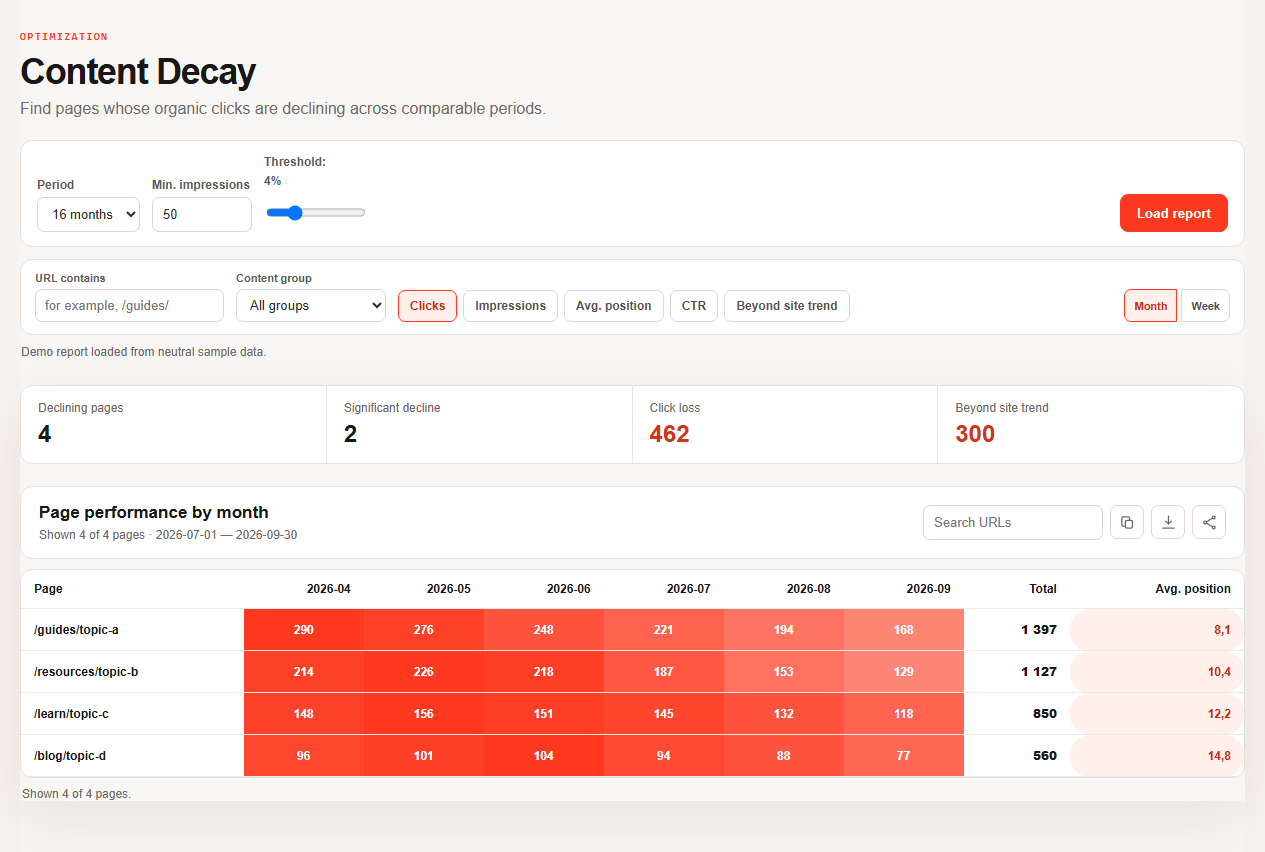
The screenshot above is the real Workspace report in its safe demo mode: four pages over six months on neutral sample data, with every path an example.com placeholder. In the live report you change the period, the threshold and the metric and switch to the “over site trend” view.
What “over trend” means
The report first measures the site: trend = site clicks now ÷ site clicks before. For a page it then computes the clicks the page would have had if it had only followed the site, expected = page clicks before × trend, and own decay = max(0, −(clicks now − expected)). Pages are ranked by own decay, not by raw loss.
| Step | Example (illustrative numbers) |
|---|---|
| Site clicks | 10,000 before, 9,000 now, so trend 0.9 |
| Page clicks | 400 before, 300 now: raw loss 100 |
| Expected if it followed the site | 400 × 0.9 = 360 |
| Own decay | 360 − 300 = 60 clicks; the other 40 are the site’s decline |
A page also needs enough impressions and clicks lost to count as significant, so noise on tiny pages does not fill the list.
How to read the list
- Sort by own decay, the loss beyond the site’s trend.
- Look at the driver. Fewer impressions points at demand or visibility; a lower CTR at the snippet; a worse position at the ranking.
- Decide per page: refresh, merge, redirect or leave.
- Check that the decline is not Google’s on the Search Console data anomalies page before editing anything (monitoring routine).
Content decay, answered
Why compare with the site trend?
A site-wide dip, such as seasonality, would otherwise flag every page.
Is raw percentage loss enough?
No: a tiny page can lose half its clicks and cost nothing. The report ranks by clicks lost beyond the trend.
Go further
Read the content decay playbook, the optimization reports and open the report on your own data in GSC Workspace.